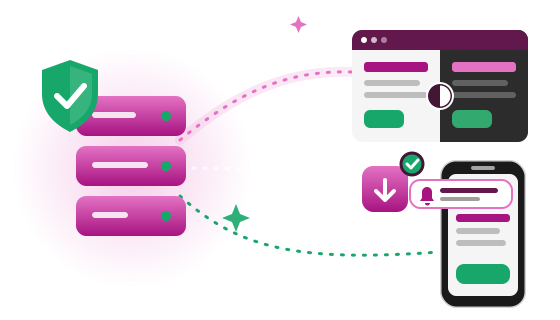
IIZI 5.0 is a major release of iiziGo, the Eclipse-based designer, and iiziServer, together with new store builds of iiziRun Developer and iiziRun Custom. Applications are still written once, in Java, and run on the server; 5.0 adds what modern applications are expected to have – secure sign-in, notifications, installation from the Browser and a dark mode – and makes the server easier to run.
- Sign-in, done right The SignIn module: identifier first, passkeys, two-step verification, remembered devices and account notices.
- Push Notifications Web Push in the Browser and Firebase Cloud Messaging for iiziRun on Android and iOS.
- Installable web apps Every application has its own address, Service Worker, manifest and icons, so a Browser can install it.
- Light, dark and auto Three theme families – IIZI, Graphite and Contrast – each with a light and a dark member.
- A server that runs itself Restart and update from ServerAdmin, verified update packages with rollback, a Linux installer and a new Windows service.
- Web Analytics with consent Google Analytics 4 per application, only after the user agrees, without cookies.
- File upload A new UIFileUpload component and resumable uploads over HTTPS.
- Launch from a QR code One Launch link per application opens it in iiziRun on a phone, or shows its QR code on a computer.
IIZI 5.0 is not backwards compatible with 4.x clients. An iiziRun installed from a store before 5.0 cannot open applications on an iiziServer 5.0, and the other way round. Move the devices to the 5.0 store builds of iiziRun before, or together with, the server. Browser and installed web app users can move at any time.
Read Upgrading from 4.x before you upgrade.
Platform
IIZI 5.0 is built on:
- Eclipse 2026-09 (4.41)
- Java 25 LTS (Eclipse Temurin – JustJ)
- Jetty 12.1.14
- Jakarta EE 11
- Bouncy Castle 1.86
Both iiziGo and iiziServer require Java 25 LTS or later.
iiziGo is available for Windows (64-bit Intel/AMD and ARM64), macOS 12 Monterey or later (Intel and Apple Silicon; macOS 14 Sonoma or later recommended) and Linux (x86_64 and AArch64). iiziServer runs wherever a 64-bit Java 25 or later runs, and installs as a Windows service or a Linux systemd service. iiziRun runs on Android 8.0 (API level 26) or later and on iOS and iPadOS 15 or later.
Details: System requirements.
Step by step: Installing iiziGo · Installing iiziServer.
Upgrading from 4.x
The essentials, in the order you meet them:
- Move the devices first. iiziRun and iiziServer now speak protocol version 5. An iiziRun from before 5.0 says “not compatible” on a 5.0 server; update devices to the 5.0 store builds, and rebuild your own Customized iiziRun with iiziGo 5.
- Applications have their own address. An application is served at
/app/<appID>/; the oldiiziApp.html?...&app=<appID>address redirects there. - Sign-in moved into the application. The launch is anonymous and users sign in with the SignIn module. An application that does not check for a signed-in user itself is public.
- Group access is enforced. A user reaches an application only through an enabled group the application allows. Check every application's groups, and disable the group “Default All Apps (disabled!)” on an existing database (a new 5.0 database names that group “ServerAdmin” and creates it disabled).
- Administrators. ServerAdmin admits members of an enabled Administrators group only, asks for a second step on an installed server, and asks an administrator without an e-mail address for one. Accounts still on the public passwords of the database script get a new password or are disabled.
- Percent sizes. A percent width or height now resolves against the parent's content box, as in CSS: percent children of a padded or bordered container come out smaller than in 4.x.
- No IIZI cookie. The Browser client keeps its settings in the Browser's local storage; the cookies of 4.x are moved once and removed.
- Libraries and the 4.x sign-in layer are gone. Applications that used firebase-admin, netty, pushy, commons-net, the TOTP library, image4j or the 4.x OAuth sign-in from IIZI's class path must ship their own copy or wait for sign-in with providers in 5.1.
- Server settings. Behind a reverse proxy, set the trusted proxies; turn uploads on explicitly; add cross-origin callers to the allowed origins; reinstall a Windows service with the new
is.bat.
Every step, with commands and settings: Upgrading from 4.x.
New in 5.0
Sign-in: the SignIn module, two-step verification and passkeys
An application signs its users in with IIZI's own SignIn screens: identifier first, then the password; sign-in by user name or e-mail address; remembered accounts; password reset and e-mail verification; and a theme button on the first screen.
- Two-step verification with a passkey (recommended where the device supports one) or an authenticator app, recovery codes, and a sign-in policy per server and per application.
- Passkeys in the Browser: a passkey button and autofill, a passkeys screen, and a passkey as the second factor.
- “Stay signed in?” A device can resume its sign-in, and the account lists its signed-in devices.
- Account notices by e-mail for every change to the account, naming when, from which device and from where.
- Administration: set a user's e-mail address and password, sign a user out of all devices, or reset the sign-in methods, from ServerAdmin.
Push Notifications
Push Notifications (PN) reach users in the Browser through Web Push (VAPID) and in iiziRun on Android and iOS through Firebase Cloud Messaging. The server makes and keeps its own keys, an application's secrets live only in the machine's secrets store, and a new setting subscribes a device when its user signs in.
Push Notifications in IIZI 5.0
Installed web apps and Web Analytics
Every application has its own directory, /app/<appID>/, with its own page, Service Worker and offline page. With PWA settings it also gets a web app manifest, icons generated from one master image (dark-mode icons too) and the head tags that let a Browser install it. An application can name a Google Analytics 4 Measurement ID; IIZI then asks the user's consent before anything is sent, and keeps the answer without a cookie.
Installed web apps and Web Analytics
Launch iiziRun apps from a link or a QR code
The server's /apps page has one Launch link per application for iiziRun Developer and one for iiziRun Custom. On a phone or tablet it opens the application in iiziRun, or the iiziRun's store page when it is not installed; on a computer it shows a QR code that the phone's camera or iiziRun's own scanner opens. iiziRun adds the application if it is new, and asks before it stops an application that is running; iiziRun Custom gets a Scan QR code item on its Home page. Scanning needs iiziRun Developer or iiziRun Custom 5.0.2 or later.
Launch iiziRun apps from a link or a QR code
Themes: light, dark and auto
Three theme families – IIZI, Graphite and Contrast – each with a light and a dark member, on one set of color, shape and motion tokens. Pages follow the system (“auto”) by default; users switch with the new UIThemeChooser, iiziRun's Appearance and Theme settings, or theme= in the address. Palettes and palette colors are new Designer file types.
File upload
UIFileUpload is a new component with a drop zone, a file picker, progress, limits, pause, resume, cancel and retry; the application receives each file through @OnUIUpload. Uploads travel over HTTPS in chunks, with quotas per server and per session, and a file whose content does not match its declared type is refused. Uploads are off until a server's “Allow upload” setting is turned on and the server restarted.
Server operations
- Restart and update from ServerAdmin's Dashboard, with verified update packages, one rollback copy and an exit-code contract for the supervisor.
- Installing on Linux with
bin/install-iiziServer.sh, which checks the package's signature and installs a systemd service. - Windows service on x64 and ARM64 through IIZI's own service wrapper, and errors written to the Windows Event Log on request.
- Applications in the server configuration, with aliases, groups and named port configurations, edited in ServerAdmin.
- Mail senders listed, tested and managed on ServerAdmin's new Mail page, with queued mail retried instead of lost.
- A secrets store and the
iizi-secretstool keep passwords and keys out of the configuration files.
Components and the Designer
- Floating panels (UIFloat): a panel that opens above its owner, light, modal or modeless, with six opening animations that respect reduced motion, and announced to assistive technology.
- UIChart gets live data, a legend and theme colors; UIGauge fills its frame and exchanges its value with the application.
- Snap lines in the Panel Designer also apply while resizing, with labels saying what an edge snapped to.
- An outdated web engine is detected at connect, and the user can be warned; a Browser that cannot run IIZI gets a page with the application's store links.
Changed
- Protocol version 5. iiziRun and the server check the protocol version for equality; the message names both versions.
- Anonymous launch. The Diffie-Hellman key exchange and the password at connection are gone; users sign in inside the application. A new connection always starts a new application session.
- ServerAdmin runs at
/app/com.iizix.serveradmin/, signs administrators in through the SignIn module, reads in light and dark, and has new Applications, Ports and Mail pages. - Licensing is installed and does not enforce in 5.0: iiziServer counts its users and observes, iiziGo shows its license state, and nothing is refused.
- TLS: certificate verification and strong ciphers are on by default.
- Logs: no environment variables,
-Dvalues, passwords or reset tokens in the logs; expected failures are one line, stack traces stay for development mode. - Layout: percent sizes resolve against the parent's content box; long button labels wrap; fields fit their flex items; dialogs size to their content.
- Text in KStrings: a classical KString refuses
SCRIPT,IFRAME,STYLEand script URLs; such HTML is stored as a trusted KString. @OnUIFocusmethods are now also called when the component gains the focus.- Device classes: a tablet is a tablet, new selector terms, and 24 terms that never matched are retired.
- Cross-origin requests: a server grants cross-origin reads only to known origins and those of the new
$allowedOriginssetting. - iiziGo: its own SWT color chooser, a port range for two iiziGo side by side, Cast to Device by QR code, new Module projects for Java 25, and iiziRun builds for iOS without CocoaPods of their own.
- iiziRun: asks before it sends usage statistics, follows the appearance on every screen, and scans server QR codes.
The full list is in Upgrading from 4.x and API changes.
Removed
- The themes
hololight,winlightand iiziRun's “Android light”;clarois no longer a choice. - The Diffie-Hellman login and iiziGo's “Initial login” build settings.
- The OAuth sign-in layer of 4.x; sign-in with providers returns in 5.1.
- Direct APNs delivery: iOS devices receive Push Notifications through Firebase.
- Libraries no longer on IIZI's class path: firebase-admin, netty and the async HTTP stack, pushy, fast-uuid, commons-net, dev.samstevens.totp, ScribeJava and image4j.
- Microsoft's
Sc.exeandRegini.exein the server'sbin\ntservice: the copies in Windows are used. - In iiziRun Developer: the stored user name and password, the Widget style setting and the built-in samples.
- The development server's Server Commands, and the “Max port” field of ServerAdmin's Ports page.
Notable fixes
IIZI 5.0 carries more than 125 fixes of problems users could meet. The main ones:
- Copy, Paste and drag-and-drop of components in iiziGo work again, and so does Undo of a rename.
- iiziGo no longer freezes in an endless verify, no longer hangs while loading a Module project, and frees the memory of a closed project.
- iiziGo uses Eclipse's proxy settings, and Cancel stops a running iiziRun build step.
- A client error “Outside N max N” no longer stops an application whose page rebuilt a container right after a focus change.
- ServerAdmin's Ports page starts, stops, opens and closes ports.
- Module styles referenced by components apply to the right parts, and a change to a module style shows at once.
- Dates, numbers and calendars follow a change of language at once.
- On iOS, a link that starts iiziRun is no longer lost.
The complete list, grouped by area: Fixes in IIZI 5.0.
Known limits and issues
- Sign-in with providers (Google, Microsoft, LinkedIn, Apple, OpenID Connect) comes in 5.1.
- An install button inside the application comes in 5.1; users install a web app from the Browser's menu.
- Server clusters come in 5.1; 5.0 ships standalone servers.
- Push Notifications in an installed web app are not claimed for 5.0.
All limits and known issues: Known limits and issues.
Third-party software
IIZI includes open source components such as Eclipse, Jetty, Bouncy Castle, Jakarta EE, Dojo and Open Sans, each under its own license. The components that ship with iiziServer, iiziGo and the client, with their versions and licenses, are listed on the Third-party notices page.
All 5.0 documents
- Upgrading from 4.x – every step and incompatibility.
- Installing iiziGo – Windows, macOS, Linux, an existing Eclipse, the first start.
- Installing iiziServer – Linux, Windows, the database, updates, a reverse proxy.
- System requirements – operating systems, Java, Eclipse, Browsers and devices.
- Sign-in – the SignIn module, two-step verification, passkeys.
- Push Notifications – Web Push and Firebase.
- Installed web apps and Web Analytics – PWA, icons, installing, consent.
- Launch iiziRun apps from a link or a QR code – the /apps page, iiziGo, iiziRun Developer and iiziRun Custom.
- Themes – families, modes, tokens and palettes.
- Server operations – install, restart, update, services, configuration, mail, secrets.
- API changes – for Java and JavaScript developers.
- Fixes – the complete list.
- Known limits and issues.
- Third-party notices.